From claim creation to submission and ERA auto-posting, MedCare MSO’s AI medical billing software keeps your cash flow consistent and your staff focused on patients.
Request a Demo

Trusted by 1000+ providers




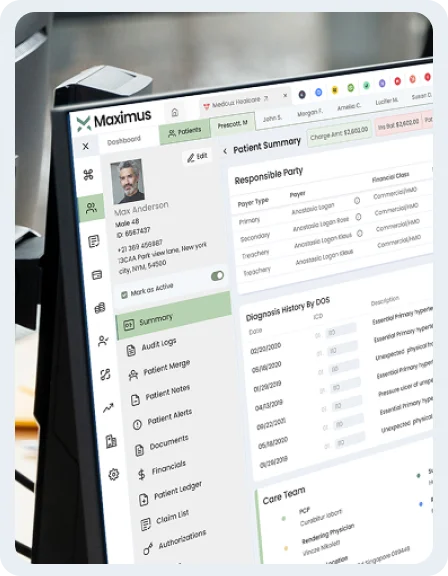
MedCare PMS takes care of all practice operations by integrating advanced analytics, patient engagement, and revenue cycle management into a single platform.
Claims workflows that save time, not add to it.
Automation tools for effective patient communication
One login, one platform, built for practice owners
Smart billing that keeps your revenue consistent
MedCare medical billing software helps practices cut claim errors, shorten A/R cycles, and boost collections with automated workflows that are fast, intuitive, and built with results in mind.
Simplify your billing process with automation and precise coding in MedCare’s medical billing software.
Automate claim creation, scrubbing, and submission, batch or one-by-one, with clearinghouse integration for faster, cleaner billing.
Boost accuracy and efficiency with AI-powered coding in our medical billing software.
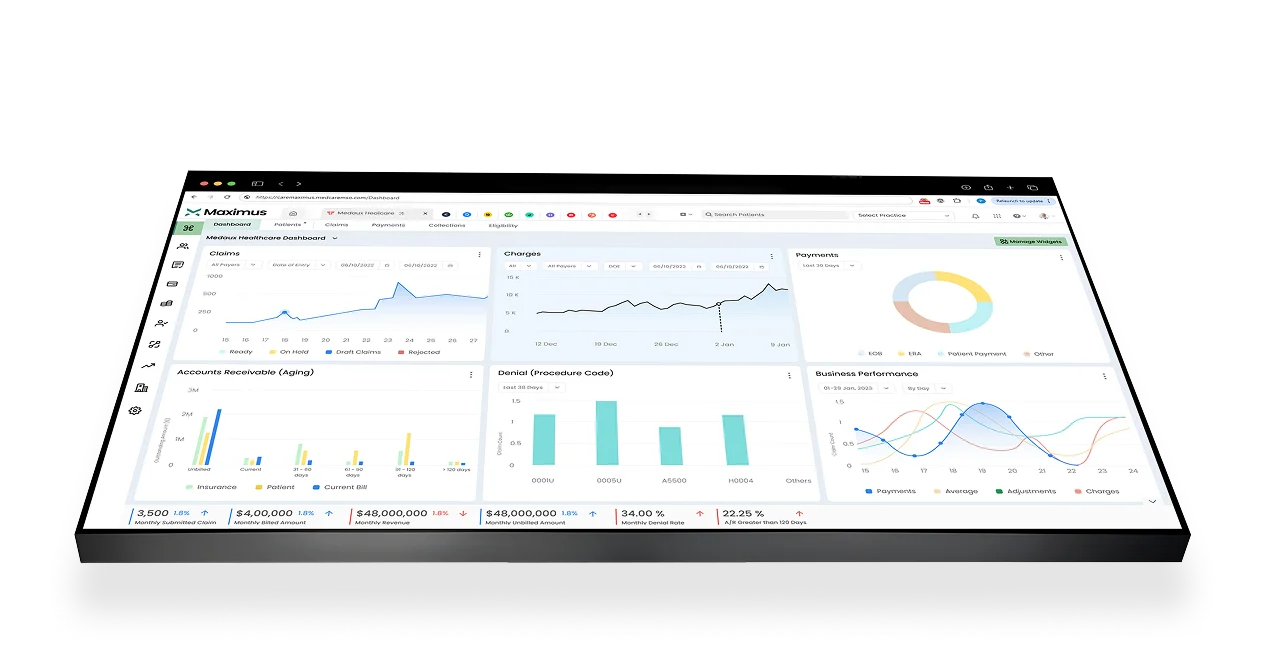
Track performance and monitor KPI via Power BI analytics with our medical practice billing software and make informed decisions.
Simplify payments with auto-posting of ERA, reconciliation, patient billing, and keeping revenue flowing while maintaining A/R control.
Stay compliant and in control with full audit trails and admin-level user management with MedCare MSO’s medical billing software systems.
Why settle for an outdated billing software? MedCare AI medical billing software replaces slow, siloed software with a modern, AI-driven solution built for speed, accuracy, and growth.

Integrations
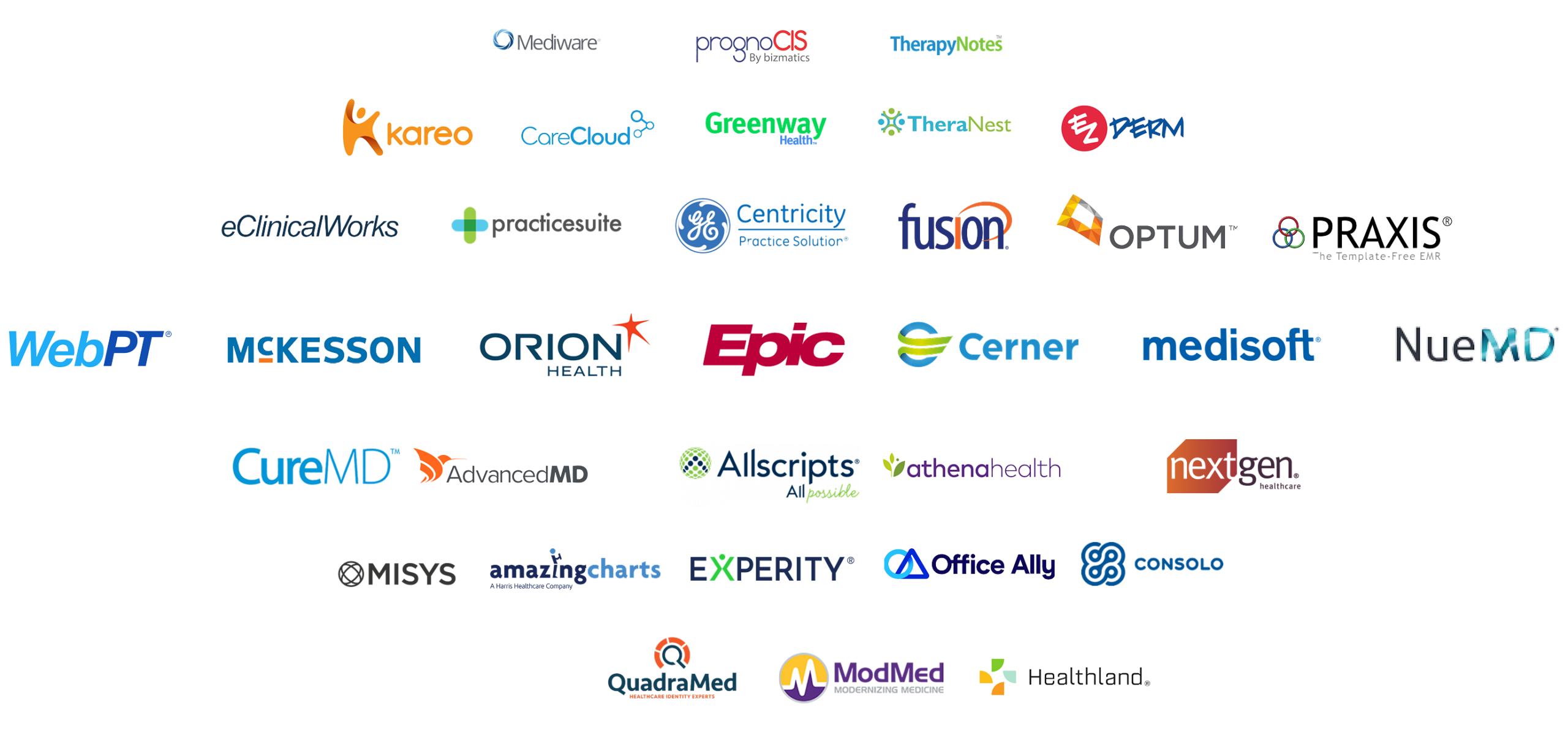
Connect our healthcare revenue cycle management software with the healthcare tools and services your practice already uses. It seamlessly integrates and ensures your data flows smoothly across your entire ecosystem.
Whether you’re a solo physician, a multi-site clinic owner, or running a specialized facility, our medical coding and billing software adapts to your practice structure and specialty with ease. Our platform is designed to remove administrative burdens, streamline patient management, and give you back more time for care.
From appointment scheduling and eligibility verification to billing, compliance, and real-time reporting, MedCare’s medical billing software programs scale with your practice as it grows. No matter the size or specialty, our flexible workflows and specialty-focused features ensure you get a system that works the way you do, not the other way around.

Created with growth in mind, MedCare practice management and billing software currently supports 50+ specialties, with over 10 years of proven excellence.

FREE PMS
Benefit from a cloud-based medical billing software that automates scheduling, billing, and reporting, while intelligent denial management and AI-enhanced appeals help you recover claims faster and keep revenue on track.
Quickly identify, track, and resolve claim denials. Customized appeals help improve reimbursements and reduce revenue loss.
Bring billing, scheduling, and records together. One unified platform streamlines operations across your entire practice.
Stay HIPAA-compliant with built-in security features. Encryption, audit logs, and access control protect patient data at every step.
Book a free live walkthrough of MedCare medical billing software and discover how automated billing and real-time insights can help scale your practice.
These client stories show what’s possible with our automated medical billing software solutions.
MedCare’s batch claim submission and scrubber tools are lifesavers. We’re seeing far fewer denials and faster reimbursement. Staff morale is up, and revenue projections are now more reliable month after month.
MedCare PMS finally tied together our disparate clinics. Shared dashboards, unified workflows, and real-time reporting mean we make decisions fast. One dashboard tells us everything we need.
With MedCare, our front-end tasks like coverage discovery are handled in seconds. Fewer denials, happier parents, and more time for us to treat instead of administrative headaches.
Onboarding was surprisingly smooth. From day one, the MedCare team walked us through training; within days, we were using batch claims and seeing improved cash flow.

Whether you’re comparing billing platforms or simply need clarity before you decide, this section answers the questions we hear most, including covering setup, security, support, and day-to-day use. If your concern isn’t listed, reach out or book a quick demo, and we’ll guide you through the specifics of your practice.
What pricing models are available?
MedCare billing software offers subscription-based tiers and pay-for-paid billing. Plans scale by practice size, specialty, and features. No hidden fees, just transparent pricing that matches your workflow needs.
Is there a free trial or free plan?
Yes, you can try MedCare billing software via a free walkthrough/demo. It’s not a limited-feature free plan, but you get to see full features live before committing.
Can I change plans later?
Absolutely. You can upgrade or downgrade as your practice grows or your needs change. Features and user seats adjust accordingly without penalty or long-term commitment.
Are there setup or onboarding fees?
Setup is included in most subscription tiers. Data migration, configuration & training are part of onboarding, so you can start quickly with minimal upfront investment.
Is billing monthly or annually?
Both options are available. Monthly billing gives flexibility; annual billing offers cost savings. Either way, you get full access to features in your chosen plan.
Do I pay extra for add-ons or special features?
Additional specialized modules may have optional add-on costs. Core functionality is included; you only pay if you need extras.
Which EHRs does MedCare PMS integrate with?
MedCare billing software supports seamless integration with major EHR systems via APIs and standard interfaces like HL7/FHIR. This practice management software also supports telehealth tools, portals, and billing partners.
Can I import data from my current system?
Yes. This medical billing software includes data migration via CSV or AP, depending on your system. Patients, claims, schedules, and billing records can be migrated to minimize loss & disruption.
Can MedCare PMS sync calendar & appointment tools automatically?
Yes. MedCare billing software supports bi-directional sync with calendar apps and EHR appointment scheduling. New bookings, cancellations, and reminders update across systems in real time.
Does MedCare PMS work on mobile or tablet?
Yes. Our interface is web-responsive. Core features (billing, scheduling, eligibility checks, dashboards) work smoothly on tablets and mobile browsers.
How often are integrations updated?
This practice management solution maintains and periodically updates all integrations to ensure compatibility, security, and performance. New API versions are supported, and backward compatibility is preserved where feasible.
Does it support multi-site practices & specialty workflows?
Yes, whether you run one clinic or multiple locations, and whether specialized workflows (neurosurgery, urgent care, etc.), MedCare billing software adapts across sites & specialties.
How long does onboarding take?
Onboarding typically completes in days to a few weeks, depending on practice size and data complexity. Smaller practices often go live quickly with minimal disruptions.
What kind of training is provided?
You’ll receive live walkthroughs, user guides, and training sessions for your staff. The training modules will include guides on billing workflows, claims management, and reporting tools to ensure comfort in use.
Is there a dedicated implementation team?
Yes, MedCare assigns you a dedicated onboarding specialist who guides setup, data import, configuration, and workflows tailored for your practice.
Do I need new hardware or software to use MedCare PMS?
No special hardware needed. Since it’s cloud-based, any modern browser & stable internet connection suffice. Devices like desktops, laptops, and tablets work well.
Will there be downtime during the transition?
The MedCare billing software onboarding team minimizes downtime by performing migrations and setting up off-hours where possible. Most clients maintain full operations during implementation.
How do I customize features for my specialty?
MedCare PMS offers specialty-specific templates, custom workflows, and feature toggles. During setup, the walkthrough includes customization of platform modules to match specialty needs.
Is MedCare billing software HIPAA-compliant?
Yes. MedCare billing software includes encryption (in transit & at rest), audit logs, access controls, and Business Associate Agreements to ensure HIPAA compliance throughout all billing and patient workflows.
How is patient data protected?
Data is protected via secure encryption protocols, multi-factor authentication, role-based access, regular security audits, and strict vendor and partner vetting.
Does the platform undergo external security certifications?
Yes. MedCare practice management software regularly performs security audits and assessments. It adheres to industry best practices (e.g., ISO / SOC / HIPAA standards) to maintain compliance and trust.
What happens in case of a data breach?
MedCare billing software has an incident response protocol: affected parties are notified, breach contained, data verified, and corrective steps taken. Our team maintains transparency and compliance with required regulations.
How is access to sensitive features controlled?
Access is limited via role-based permission, so only authorized users can view/edit sensitive data; admin controls allow monitoring and adjusting permission levels securely.
Are backups and disaster recovery included?
Yes, all critical data is regularly backed up; the platform has disaster recovery protocols to restore operations quickly in case of system failure or disaster.
What support channels are offered?
Support channels include email, live chat, phone, and dedicated account managers. You’ll also have a knowledge base & help docs for self-service.
Is there 24/7 support?
Critical issue support is available 24/7; regular support hours may vary. For emergencies (system outages, data issues), the MedCare PMS support team ensures immediate response.
How quickly can I expect a response?
Support tickets are typically responded to within business hours; live chat and phone support for urgent issues are faster. SLA commitments vary by plan.
Is ongoing training included?
Yes. Beyond onboarding, you’ll get periodic training updates, webinars, feature release walkthroughs, and resource materials to ensure you’re always using billing software at full potential.
Do you offer custom support for specialty practices?
Yes, practices in specialties (e.g., neurosurgery, oncology, neurology) get dedicated specialists who understand your domain’s billing, codes, and workflows.
Are there limits on support depending on the plan?
Some higher-tier plans include priority support or a dedicated team; all plans include standard support. Features & response times scale with plan level.
Take a free demo to see how AI medical billing and coding software simplifies what used to be complex. Real-time dashboards visualize your practice performance, so you can see clarity where others see chaos.
Book a Demo
Please provide the following information, so our team can connect with you within 12 hours.
Or call us as 800-640-6409